

W-9 Form Guide: When to Request One and How to Use It
A contractor invoices you in December, and you realize you never collected the tax details needed to report that payment in January. Now you’re chasing a name, address, and tax ID number during the busiest weeks of the year. A W-9 form prevents that scramble when you collect it at the right time.
This guide explains what the form is, who fills it out, and when to ask for it. It also shows how the W-9 feeds into 1099 reporting and backup withholding, and how to review a completed form before you file it away.
Figures and rules below refer to the 2026 tax year where noted. Tax rules change, so confirm details on IRS.gov or with a qualified tax professional before you act.
What Is a W-9 Form?
Who issues the form
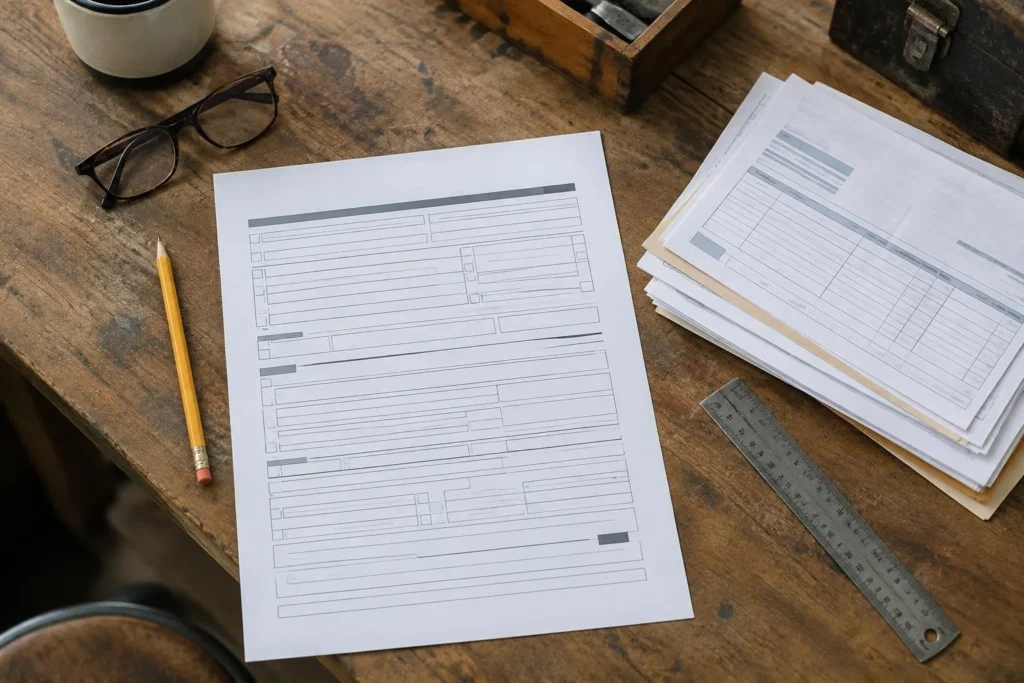
Form W-9, officially called Request for Taxpayer Identification Number and Certification, is an IRS form. The IRS publishes it, but businesses use it. A payer sends the blank form to a payee, and the payee fills it out and returns it. You can download the current version from the IRS About Form W-9 page.
What information it collects
The form asks for two things. First, the payee’s taxpayer identification number (TIN). Second, a signed certification of the payee’s tax status, such as confirming the TIN is correct and whether the payee is subject to backup withholding.
The payee enters one of three TIN types:
- Social Security Number (SSN): used by most individuals and sole proprietors.
- Employer Identification Number (EIN): used by corporations, partnerships, many LLCs, and some sole proprietors.
- Individual Taxpayer Identification Number (ITIN): used by individuals who need a TIN but aren’t eligible for an SSN.
The IRS explains each type on its Taxpayer Identification Numbers page.
Here’s a point that confuses many owners: you don’t file the W-9 with the IRS. It stays in your records. Think of it as a request tool, not a tax return. Its job is to give you accurate details for the information returns you file later.
Who Needs to Fill Out a W-9?
Payees who usually complete the form
The payee is the person or business receiving money. Common payees include freelancers, independent contractors, consultants, LLCs, and vendors that provide services. They complete the W-9 and return it to the business paying them.
Payers who usually request it
The payer is the business sending money. If you pay for services, rent, or other payments that may require an information return, you collect the W-9.
Employees are different. A new employee completes Form W-4 for payroll withholding, not a W-9. If you’re unsure whether someone is an employee or a contractor, read our guide on how to classify workers as 1099 or W-2 before choosing a form.
Use this quick checklist to decide whether a payee likely needs a W-9:
- ☐ You’re paying for services, not goods or merchandise.
- ☐ The payee is not on your payroll as an employee.
- ☐ The payee is an individual, sole proprietor, partnership, or LLC (payments to corporations are often exempt from 1099 reporting, with exceptions such as legal fees).
- ☐ You’re paying rent for office space, equipment, or property.
- ☐ Total payments for the year could reach the IRS reporting threshold.
- ☐ You aren’t paying solely by credit card or a payment app, which may shift reporting to the payment processor.
If you checked one or more boxes, request a W-9. When in doubt, collecting one costs little and avoids trouble later. Reporting obligations depend on your situation, so confirm the rules on the IRS Small Businesses and Self-Employed page.
When to Request a W-9 from a Vendor or Contractor
Before the first payment
The general rule is simple. Request the W-9 before you make any payment that may be subject to information reporting, such as payments for services. Once money goes out, your leverage to collect paperwork drops.
A clean onboarding timeline looks like this:
- Onboarding: You agree to work with a new contractor and send your vendor packet, including a blank W-9.
- Signed agreement: The contractor signs the service agreement or statement of work.
- W-9 received: The contractor returns a completed, signed W-9. You review it and save it.
- First invoice paid: Only now do you release payment.
Common triggers for a new request
A W-9 isn’t always one and done. Ask for an updated form when a vendor reports any of these changes:
- A new legal or business name
- A change in entity type, such as a sole proprietor forming an LLC or electing corporate status
- A new mailing address
- A new TIN, such as switching from an SSN to an EIN
- An IRS notice saying the name and TIN you reported don’t match
What if a vendor refuses? That creates real risk for you. Without a TIN, you may not be able to file an accurate 1099. You may also be required to start backup withholding on their payments. Explain this to the vendor politely, and document each request.
Finally, put the process in writing. A short policy, such as “no W-9, no payment,” means every vendor gets the same treatment. It also makes the process easy to hand off to staff or a bookkeeper.
How the W-9 Connects to Form 1099-NEC Reporting
What the payer does with the W-9 data
The W-9 is the source document for your 1099 filings. When you prepare information returns after year-end, you pull the payee’s name, TIN, and address straight from the form. Without it, you’re guessing.
Form 1099-NEC reports nonemployee compensation. It typically covers fees paid to independent contractors, freelancers, consultants, and other self-employed people for services in the course of your business. Attorney fees for services are a common example that’s reported even when the firm is a corporation. Other payment types, such as rent, generally go on Form 1099-MISC instead.
For payments made in 2026, the 1099-NEC reporting threshold is $2,000, up from $600 in earlier years, under the 2025 tax law known as the One Big Beautiful Bill Act. After 2026, the amount is adjusted for inflation. Thresholds can change, so confirm the 2026 figure on the IRS About Form 1099-NEC page before relying on it. Check the filing deadline there too.
A worked example
Say your bakery hires Maya, a freelance graphic designer, for a rebrand. You pay her $4,500 across three invoices in 2026. Before the first payment, Maya sends a W-9 showing:
- Name: Maya Lopez
- Business name: Lopez Design Studio
- Tax classification: individual/sole proprietor
- TIN: her SSN
- Her mailing address
In January, you total her payments in your accounting software. Because $4,500 is above the $2,000 threshold for 2026, you prepare a 1099-NEC using the exact name, TIN, and address from her W-9. No emails, no chasing.
Accuracy matters here. If the name and TIN on your 1099 don’t match IRS records, the IRS may send you a notice. You may then have to correct the filing or begin backup withholding. A signed W-9 reduces that risk because the payee certifies the details are correct. Add W-9 review to your year-end bookkeeping checklist so gaps surface before 1099 season.
Backup Withholding When a TIN Is Missing or Incorrect
What backup withholding means
Backup withholding means the payer withholds a percentage of a reportable payment and sends it to the IRS. It generally applies when a payee doesn’t provide a TIN or provides one that’s incorrect. It can also apply when the IRS notifies you that a payee is subject to it.
The backup withholding rate is currently 24% of the payment. Confirm the 2026 rate on the IRS Backup Withholding page before you withhold. Amounts you withhold must be deposited and reported, so treat this as a real tax obligation.
How to respond to a problem TIN
When a TIN is missing or looks wrong, take these steps:
- Request the W-9 again. Send a fresh blank form and explain which field needs attention.
- Verify the TIN. Compare the name and TIN carefully. Payers who file information returns may be able to use the IRS TIN Matching program through IRS e-Services. Check eligibility on IRS.gov.
- Document every attempt. Keep dated copies of emails, letters, and forms received.
The IRS also has its own process. If names and TINs you reported don’t match its records, it may send you a notice, such as a CP2100 or CP2100A, listing the affected payees. Those notices come with specific instructions and timelines. Follow them exactly, including any required letters to payees.
Backup withholding rules are detailed and easy to get wrong. If a vendor’s TIN is in question, talk with a qualified tax professional before you withhold or file.
How to Fill Out a W-9 Line by Line
Key lines and what to enter
Most payees fill out the W-9, but payers should know what a correct form looks like. Field numbers can shift between revisions, so the table below uses field names. Check the instructions on the current form for exact line numbers.
| Field | What to enter | Watch for |
|---|---|---|
| Name | The name the payee uses with the IRS for tax purposes | For a single-member LLC treated as disregarded, enter the owner’s name here |
| Business name | Trade name, DBA, or disregarded entity name, if different | Leave blank if it’s the same as the name line |
| Federal tax classification | One box: individual/sole proprietor, C corp, S corp, partnership, trust/estate, LLC (with tax code), or other | Only one classification should be checked |
| Exemptions | Exempt payee or FATCA codes, if they apply | Most individuals and small businesses leave this blank |
| Address | Street, city, state, and ZIP code | This is where the 1099 will be mailed |
| TIN (Part I) | An SSN or an EIN | Enter one, not both; ITIN filers use the SSN box |
| Certification (Part II) | Signature and date | An unsigned or undated form is incomplete |
The name line causes the most trouble. It must match the name tied to the TIN in IRS records. A sole proprietor using an SSN should put their personal name first and the business name on the second line.
The TIN section takes one number. A payee with an EIN should use it if the name line matches the business tied to that EIN. Sole proprietors who don’t have one can learn how to get an EIN for free.
Common errors to avoid
- Business name on the first line with the owner’s SSN in the TIN box
- Both an SSN and an EIN entered
- More than one tax classification checked
- Missing signature or date
- Handwriting you can’t read
Before you file a W-9, review it for legibility, completeness, and matching details. Return it right away if anything is off. Fixing it now is far easier than fixing a 1099 later.
Vendor Onboarding Checklist for W-9 Collection
Use this checklist each time you add a new vendor or contractor:
- ☐ Confirm vendor type. Decide whether the payee is a contractor, vendor, or employee.
- ☐ Check the revision. Download the current Form W-9 from IRS.gov before sending.
- ☐ Send the form. Include it in your onboarding packet with the service agreement.
- ☐ Set a deadline. Require the completed form before the first payment.
- ☐ Verify key fields. Check that the name, tax classification, and TIN are complete and consistent.
- ☐ Confirm signature and date. Reject unsigned forms.
- ☐ Record the date received. Note it in your vendor file.
- ☐ Flag incomplete forms. Hold payment and follow up in writing.
- ☐ Set up the vendor record. Enter the name, address, and TIN in your accounting software exactly as shown on the W-9. Mark the vendor as 1099-eligible if applicable.
- ☐ Store securely. Save the form where only authorized staff can access it.
- ☐ Schedule a review. Check vendor details yearly, or whenever a vendor reports a change.
Storing and Protecting W-9 Data
A completed W-9 holds a vendor’s name, address, and taxpayer identification number (TIN). For a sole proprietor, that TIN is often a Social Security number. Treat every W-9 as sensitive data and limit who can see it.

Secure storage practices
- Use encrypted storage. Keep W-9s in an encrypted cloud folder, a secure vendor portal, or your accounting software’s protected document area.
- Restrict access. Only people who handle payments or 1099 filing should be able to open these files.
- Avoid email attachments. Ask vendors to upload W-9s through a secure link instead of emailing them.
- Lock paper copies. Store printed forms in a locked cabinet, then scan and shred them if you go digital.
- Log the receipt date. Record when each W-9 arrived, who received it, and when you updated it.
Retention guidance
- Confirm the retention period. Check current IRS guidance on how long to keep records that support information returns. Don’t assume a number.
- Keep an audit trail. Save superseded W-9s with notes explaining why a new form replaced them.
- Dispose securely. Once the retention period ends, shred paper copies and permanently delete digital files, including backups.
Put Your W-9 Process in Place Before the Next Payment
The rule is simple. Collect a complete, signed W-9 before you pay a vendor or contractor. Then use it to file accurate 1099s at year-end.
This week, create a vendor folder for each active contractor. Send a W-9 request to anyone missing one. Then add W-9 review to your year-end bookkeeping checklist so gaps surface before filing season.
Filing thresholds, backup withholding rates, and retention rules can change. Before you file for the 2026 tax year, confirm current details on the IRS Form 1099-NEC page or with a qualified tax professional.
Frequently Asked Questions
Do I have to send a W-9 to the IRS?
No. The W-9 stays with you, the payer. You use the information on it to prepare information returns such as Form 1099-NEC. Keep the form on file in case the IRS asks you to support what you reported.
Can I accept a W-9 by email?
You can, but standard email is not a secure way to send a TIN. A secure upload portal or encrypted file-sharing link is a safer choice. The IRS also has rules for electronically submitted W-9s, so review the IRS Form W-9 page before you set up an electronic process.
What happens if a contractor refuses to fill out a W-9?
If a payee doesn’t give you a TIN, you may have to start backup withholding on reportable payments. That means withholding a set percentage and sending it to the IRS. Document every request you make. Check the current rate and rules on the IRS backup withholding page.
Does every vendor need to complete a W-9?
Not always. Many corporations are generally exempt from 1099-NEC reporting, though exceptions exist, such as payments for legal services. Foreign vendors typically provide a W-8 form instead. Even so, many businesses request a W-9 from every U.S. vendor so their records stay complete and consistent.
Does a W-9 expire?
No. A W-9 has no expiration date. However, you should request a new one when a payee’s name, business structure, address or TIN changes, or when the IRS notifies you that a name and TIN don’t match. Many businesses also refresh vendor W-9s every few years to keep records current.
What is the difference between a W-9 and a W-2?
A W-9 is a form a contractor or vendor gives you so you can file a 1099 for payments you make to them. A W-2, on the other hand, is a form you give employees each year to report their wages and the taxes withheld. In short, W-9s go with contractors and W-2s go with employees.
Want vendor records, 1099 prep, and the rest of your books handled without the year-end scramble? SteadyBooks can help with bookkeeping, payroll, and day-to-day financial support, so you can spend your time running your business.
This article is general educational information based on rules for 2026, not tax, legal, or accounting advice. Rules and thresholds change, so confirm details for your situation with the IRS or your state agency, or with a qualified professional.






One Comment