

Section 179 Deduction: How It Works for Small Business Purchases
You just paid for a new machine or software license, and you want to know whether you can deduct the full cost this year instead of spreading it over several years. The Section 179 deduction may let you do exactly that, as long as the purchase and your business meet a few specific rules.
This guide explains how Section 179 works for federal returns covering tax years 2025 and 2026. It covers which purchases qualify, how the annual limits work, and how business income and personal use affect the amount you can deduct. You will also see how to report the deduction on your return.
Dollar limits for Section 179 and related rules change over time, and Congress has revised them in recent years. Wherever a figure matters, we explain the concept and point you to the official IRS source so you can confirm the number for your tax year.
What the Section 179 Deduction Is and When It Applies
Expensing versus depreciating
Normally, when you buy equipment that lasts more than a year, you recover its cost gradually through depreciation. A $10,000 machine might be deducted in pieces over five or seven years. Section 179 is an election that lets you deduct the cost of qualifying property in the year you place it in service instead. If you want a refresher on the standard approach, see our guide to depreciation methods and tax basics for small businesses.
“Placed in service” means the asset is installed, ready, and available for use in your business. Buying a machine in December doesn’t count if it sits in its crate until February. In that case, it is placed in service in February.
The election is optional. Your business decides whether to use it, which assets to apply it to, and how much to expense. The IRS does not require it.
Types of property that qualify
Section 179 generally covers tangible personal property used in your business. Common examples include:
- Equipment and machinery
- Computers and office equipment
- Business vehicles, subject to special limits
- Certain off-the-shelf computer software
- Qualified improvements to the interior of nonresidential buildings
- Certain roofs, HVAC, fire protection, alarm, and security systems for nonresidential property
Each category has detailed conditions and exclusions. IRS Publication 946, How To Depreciate Property, is the primary source for eligibility rules. Confirm the current property list there before you rely on the deduction.
Section 179 Deduction Limit and the Phase-Out Threshold
The maximum deduction
Two numbers control how much you can expense. The first is the Section 179 deduction limit, which is the most you can expense in a single tax year. The second is a spending threshold where that limit starts to shrink.
Both figures are set by law. Some years they are adjusted for inflation, and Congress can change them outright. The 2025 tax law known as the One Big Beautiful Bill Act raised both figures. For 2025, the limit is $2,500,000, and it starts to shrink once qualifying purchases pass $4,000,000. For 2026, after the inflation adjustment, the limit is $2,560,000 and the phase-out threshold is $4,090,000. Heavy SUVs have a separate cap of $32,000 for 2026. Confirm the amounts on IRS.gov or in the Form 4562 instructions before you file. The IRS Small Businesses and Self-Employed section links to current guidance. Don’t rely on figures from older articles, including older posts that may still rank well in search results.
How the spending threshold reduces it
The Section 179 phase-out threshold exists to keep the deduction focused on smaller businesses. Once your total qualifying purchases for the year go over the threshold, your maximum deduction drops dollar for dollar by the excess amount.
Here is how the math works, using made-up numbers chosen only to show the mechanics. They are not official limits for any year.
- Hypothetical maximum deduction: $100,000
- Hypothetical phase-out threshold: $400,000
- Total qualifying property placed in service this year: $430,000
- Amount over the threshold: $430,000 − $400,000 = $30,000
- Reduced maximum deduction: $100,000 − $30,000 = $70,000
If purchases exceeded the threshold by the full maximum amount, the deduction would drop to zero.
Keep in mind that the threshold applies to the total cost of all qualifying property you place in service during the year, not to one item. A business that buys a truck in March, computers in July, and a forklift in October must add all three together.
The Business Income Limitation and Carryforward Rules
Even if you stay under the dollar limit, your Section 179 deduction cannot be more than your taxable income from the active conduct of a trade or business. In practice, this means Section 179 generally cannot create or increase a business loss.
Business income for this test is figured before the Section 179 deduction itself. You must actively participate in the business, meaning you take a meaningful part in its management or operations. Passive investment income, such as returns from investments unrelated to your business, generally does not count.
One detail surprises many owners. Publication 946 explains that wages you earn as an employee can be included in this income figure. That can matter if you run a side business while holding a job. Confirm how this applies to your situation, especially on a joint return.
Any amount disallowed by the income limit is not lost. It carries forward to later tax years, where you can deduct it subject to that year’s limits.
For example, say a consultant places $25,000 of qualifying equipment in service. Her business income before Section 179 is only $18,000. She can deduct $18,000 this year and carry the remaining $7,000 forward.
Publication 946 explains exactly which income counts and how to track carryovers from year to year.
Business-Use Percentage and the More-Than-50-Percent Test
To qualify for Section 179, property must be used more than 50 percent for business in the year it is placed in service. An asset used for business exactly half the time does not qualify.
When an asset passes the test but also has some personal use, your Section 179 business use percentage limits the deduction. You can expense only the business share of the cost.
For example, suppose you buy a $2,000 laptop. You use it 70 percent for client work and 30 percent for personal use. The cost eligible for Section 179 is $2,000 × 70% = $1,400. The personal $600 is not deductible.
Business use also needs to stay above 50 percent in later years. If it drops to 50 percent or less during the recovery period, you may have to report part of the earlier deduction as income. Publication 946 calls this “recapture.”
Vehicles and other listed property carry extra documentation expectations and special limits. Check Publication 946 for those rules before claiming them.
When personal and business use overlap, keep a simple usage log. A spreadsheet with the date, hours or miles, and business purpose is often enough.
Worked Example: Expensing a $60,000 Equipment Purchase Step by Step
Let’s walk through a realistic scenario. A small bakery buys a commercial oven for $60,000. It is delivered, installed, and baking bread by June 15 of the tax year. The oven is the bakery’s only major purchase that year.
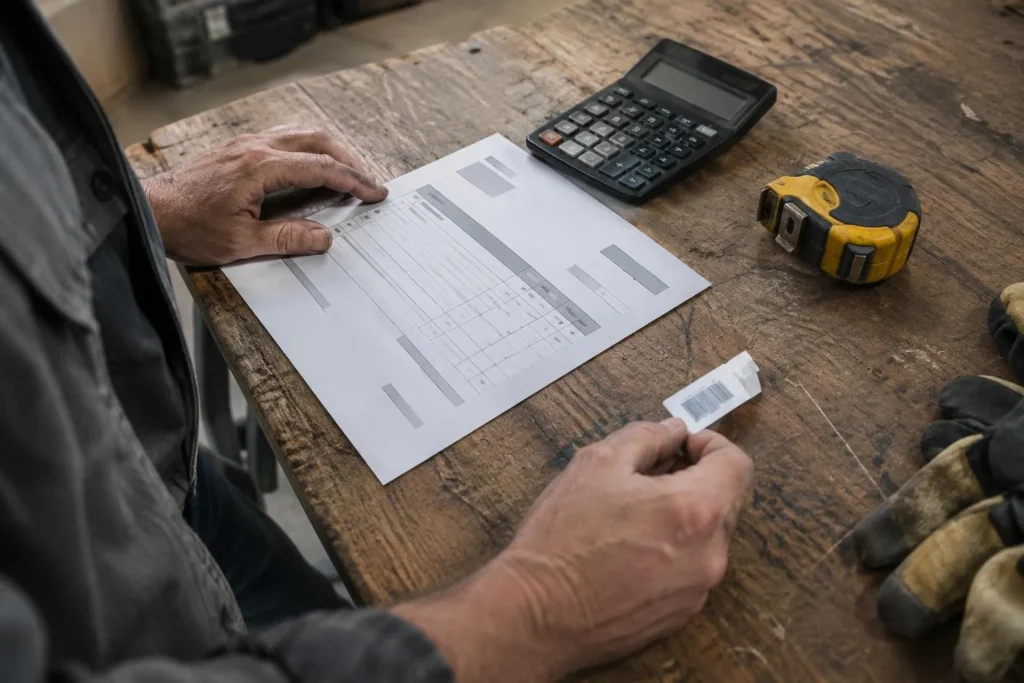
The figures below are illustrative only. We reuse the hypothetical $100,000 maximum and $400,000 threshold from earlier. Substitute the official limits for your tax year from IRS.gov.
| Step | Question to answer | Result in this example |
|---|---|---|
| 1. Confirm the asset qualifies | Is it tangible personal property used in the business? | Yes. A commercial oven is business equipment. |
| 2. Confirm the placed-in-service date | Was it installed and ready for use this tax year? | Yes, on June 15. |
| 3. Check business-use percentage | Is it used more than 50 percent for business? | Yes, 100 percent. Eligible cost is $60,000. |
| 4. Check total purchases against the threshold | Do all qualifying purchases this year exceed the threshold? | No. $60,000 is below $400,000. The maximum stays at $100,000. |
| 5. Check the business income limit | Is business income at least as large as the deduction? | Yes. Business income before Section 179 is $90,000. |
| 6. Calculate the deduction | What is the smallest of eligible cost, the dollar limit, and the income limit? | $60,000 deducted this year. |
Notice that the June date does not reduce the deduction. Section 179 is not prorated by the month the asset goes into service.
Now change the facts. If the bakery’s business income were only $45,000, it could deduct $45,000 and carry $15,000 forward.
Alternatively, suppose the bakery also placed a delivery fleet in service. Total purchases come to $450,000. That is $50,000 over the threshold, so the maximum falls to $50,000. The bakery could expense $50,000 of the oven under Section 179. The remaining $10,000 would be depreciated under the regular rules or bonus depreciation.
That second variation shows why the threshold test looks at every qualifying purchase for the year. One modest oven can be affected by spending elsewhere in the business.
Section 179 vs Bonus Depreciation and the De Minimis Safe Harbor
Section 179 is not the only way to write off a purchase quickly. Bonus depreciation lets you deduct a set percentage of an eligible asset’s cost in the first year. The de minimis safe harbor lets you expense low-cost items without treating them as assets at all.
Bonus depreciation rates change by tax year, and recent legislation has changed them. Confirm the rate that applies to your property on IRS.gov. The answer can depend on when you acquired the asset and when you placed it in service.
| Feature | Section 179 | Bonus depreciation | De minimis safe harbor |
|---|---|---|---|
| Limit basis | Annual dollar maximum, reduced once total purchases pass the phase-out threshold | A percentage of eligible cost, set by tax year, with no annual dollar cap | A per-item or per-invoice dollar threshold |
| Income limitation | Yes. Limited to business income, and the excess carries forward | No. Can create or increase a loss | No separate income test |
| Election method | Elected on Form 4562. You choose the assets and amounts | Applies automatically unless you elect out, by class of property | Annual election statement attached to a timely filed return |
| Best fit | Precise control over which assets to expense and how much | Large purchases, or years with low or negative income | Small items such as tools, printers, or office furniture |
The de minimis dollar threshold depends on your accounting setup and has changed over time. Confirm the figure for your tax year before relying on it.
Many businesses use these tools together. They might use the de minimis election for small items, Section 179 for larger assets, and bonus depreciation for anything above the Section 179 limit. In the bakery example, bonus depreciation could cover the $10,000 left after the phase-out.
How to Claim Section 179 on Form 4562
You make the Section 179 election on Form 4562, Depreciation and Amortization. The deduction then flows to your business return. Depending on your structure, that could be Schedule C, Form 1065, Form 1120, or Form 1120-S.
Form 4562 is divided into parts. At a high level:
- Part I is where you elect Section 179. You list each asset, its cost, and the amount you choose to expense. This part also accounts for the dollar limit, the threshold, the income limit, and any carryover from earlier years.
- Part II covers the special depreciation allowance, which includes bonus depreciation.
- Part III covers regular MACRS depreciation.
- Part V covers listed property, such as vehicles, including business-use details.
- Part VI covers amortization of intangible costs. Our guide to amortization for loans and small business books explains that concept.
Make the election on the return for the tax year the property is placed in service. Follow the Form 4562 instructions for line-by-line reporting.
The form and its instructions can change from year to year. Before filing, review About Form 4562 on IRS.gov for the current version.
To keep things simple, give your return preparer three items together for each asset:
- The purchase invoice showing the cost
- The placed-in-service date
- The business-use percentage, plus your usage log if the asset is mixed-use
Note: This article is general information about federal rules for tax years 2025 and 2026, not tax advice. Section 179 limits, bonus depreciation rates, and state treatment can differ. Confirm the details for your situation with a qualified tax professional before filing.
Pre-Filing Checklist for Documenting Your Section 179 Purchase
Good records support your deduction if the IRS ever asks questions. Before you file, confirm you have each item below for every asset you plan to expense.

- Itemized invoice: Shows the seller, description, price, and any trade-in or delivery charges.
- Proof of payment: Keep a bank statement, card receipt, or loan or financing agreement.
- Delivery or installation records: Save packing slips, installation sign-offs, or setup confirmations.
- Placed-in-service date: Note the date the asset was ready and available for business use, not just the purchase date.
- Business-use percentage: Record the percentage and keep a supporting log, such as mileage records or a usage calendar.
- Total qualifying purchases for the year: Add these up to check them against the phase-out threshold.
- Estimated net business income: Use this to check the business income limit.
- De minimis election: Note whether you made one and list the items and amounts it covers.
- Current limits confirmed: Check the figures for your tax year on IRS.gov, using Publication 946 as your reference.
Confirm Your Numbers Before Your Next Filing
Start with a simple step. Gather the invoices for any equipment, vehicles, or software you bought this year. Then list each item in one spreadsheet with its cost, placed-in-service date, and business-use percentage.
Next, compare each item against your options. Some purchases fit Section 179 best. Others may work better with bonus depreciation or the de minimis safe harbor.
Before you finalize anything, confirm the current year’s limits on IRS.gov. Your income, entity type, and future plans all affect the result. For that reason, review your choices with a qualified tax professional.
If your purchase records are scattered, SteadyBooks can help you organize them before tax time.
Related reading
- W-9 Form Guide: When to Request One and How to Use It
- Minnesota Sales Tax for Small Businesses: A Filing Guide
Frequently Asked Questions
Can I use Section 179 if my business made a loss this year?
You can elect it, but the deduction generally can’t exceed your taxable income from active business activities. The amount you can’t use is carried forward to future years, subject to the same limits. Bonus depreciation doesn’t have this income limit, so it may be a better fit in a loss year. See Publication 946 for the carryover rules.
Is Section 179 the same as bonus depreciation?
No. Both let you deduct asset costs faster, but they follow different rules. Section 179 has an annual dollar limit, a phase-out threshold, and a business income limit, and you choose it asset by asset. Bonus depreciation has no income limit and applies by default unless you elect out for a class of property. Our guide to depreciation methods and tax basics for small businesses explains how the two fit together.
Does Section 179 apply to used equipment?
Yes, used property can qualify if it’s new to you. You generally can’t claim it for property bought from a related party, such as a close family member or a business you control. Check Publication 946 for the full list of related-party rules.
What happens if I use a laptop for both business and personal tasks?
You can claim Section 179 only if business use is more than 50% in the year you place the laptop in service. Your deduction is limited to the business portion of the cost. For example, 80% business use on a $2,000 laptop allows up to $1,600. If business use later drops to 50% or less, you may have to report part of the deduction as income (recapture).
Do I need to elect Section 179 on my return or does it happen automatically?
It doesn’t happen automatically. You make the election on Part I of Form 4562 and specify the property and amounts. Publication 946 explains when you can make or revoke the election on an amended return. A tax professional can confirm the right approach for your situation.
Accurate purchase records make Section 179 decisions much easier. If you’d like help keeping your books organized all year, SteadyBooks offers bookkeeping, payroll, and everyday financial support so you can stay focused on your business. Book a conversation with SteadyBooks to get started.
This article is general educational information based on rules for 2025, 2026, not tax, legal, or accounting advice. Rules and thresholds change, so confirm details for your situation with the IRS or your state agency, or with a qualified professional.