Minnesota Use Tax: What Businesses Owe and How to Pay It
A bookkeeper reviewing the monthly statements spots a $1,800 laser cutter ordered from an out-of-state vendor. The invoice shows no Minnesota sales tax. The owner assumes that means no tax is due. In fact, the business now owes use tax to the state on that purchase.
This situation is common, and it is easy to miss. Online ordering makes it simple to buy from sellers anywhere. Not every seller collects Minnesota tax, though, and the gap becomes the buyer’s responsibility.
This guide explains what Minnesota use tax is, which purchases trigger it, and how to calculate, report, and pay it. It is written for the 2026 tax year. Because tax rules change, confirm details with the Minnesota Department of Revenue or a qualified tax professional before you file.
What Minnesota Use Tax Means for Your Business
Minnesota use tax is a tax on taxable goods and services you buy for use, storage, or consumption in Minnesota when the seller did not charge Minnesota sales tax. Think of it as the other half of sales tax. If tax should have been collected at checkout and wasn’t, use tax fills the gap.
The tax exists to keep things fair. Without it, a business could avoid Minnesota tax by buying from vendors that don’t collect it. Local Minnesota sellers would then be at a disadvantage against out-of-state ones.
The key point is that the obligation falls on you, the business buyer. This is true even when the seller is in another state and never mentions Minnesota tax. The state does not need to send you a bill for the tax to be owed.
The rules described here reflect the 2026 tax year. Rates, taxable categories, and filing details can change, so confirm current information on the Minnesota Department of Revenue website.
Use Tax vs. Sales Tax: Key Differences
Sales tax and use tax cover the same ground from different directions. With sales tax, the seller collects the tax from you at checkout and sends it to the state. With use tax, nobody collected it at the sale, so you calculate and pay it yourself after the purchase.
| Feature | Sales Tax | Use Tax |
|---|---|---|
| Who collects | The seller, at checkout | No one at the sale; the buyer self-assesses |
| Who remits | The seller sends it to the state | The buyer sends it to the state |
| When it applies | At the point of sale | After purchase, when the item is used, stored, or consumed in Minnesota |
| How it is reported | On the seller’s sales and use tax return | On the buyer’s Minnesota sales and use tax return |
Both taxes generally follow the same taxable categories. So if a purchase would have been taxed had you bought it from a Minnesota store, it is usually subject to use tax when the seller skipped the tax.
You also don’t need a separate form for each. Businesses registered for Minnesota sales tax report sales tax and use tax together on the same return. For a broader look at that return, see our Minnesota sales tax filing guide for small businesses.
Purchases That Trigger Minnesota Use Tax
Most use tax comes from a handful of everyday situations. Here are the ones bookkeepers see most often.
Online orders without tax charged
Say you order $600 of printer supplies and a $250 office chair from an online vendor. The receipt shows no Minnesota sales tax. If those items are taxable and you use them at your Minnesota office, your business owes use tax on the $850 total.
The fix is simple: check every online receipt for a tax line. If it’s missing on a taxable item, flag the purchase for use tax. Keeping clear purchase records helps here. Our guide on the difference between invoices and receipts explains what each document should show.
Equipment from out-of-state vendors
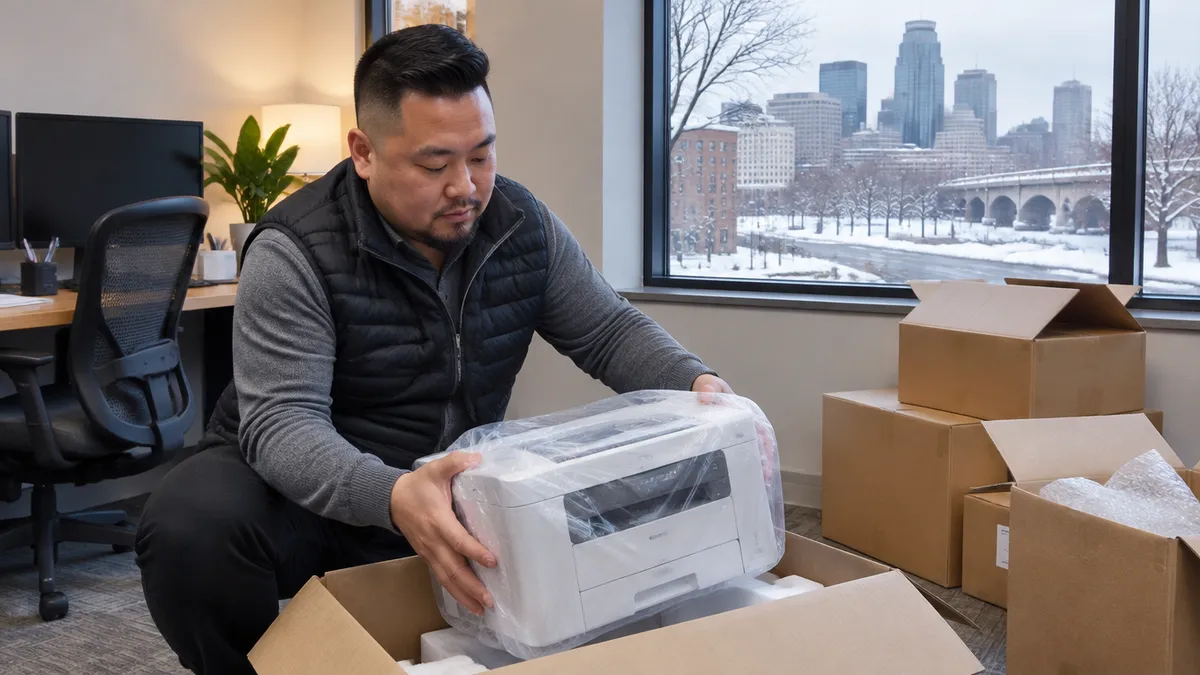
Larger purchases, like the $1,800 laser cutter, often come from specialty vendors in other states. If the vendor didn’t charge Minnesota tax and you use the equipment at a Minnesota location, use tax generally applies.
Delivery location matters because it shows where the item will be used. It also affects which local tax rates may apply. A machine shipped to your Duluth shop is treated differently from one shipped to a location outside Minnesota.
Inventory taken for personal or business use
When you buy inventory for resale, you usually don’t pay tax on it. If you later pull an item off the shelf for your own use, that changes. The item is no longer being resold, so use tax can apply.
For example, a hardware store owner who takes a $300 power drill from stock to use in the store’s repair area may owe use tax on it. The same applies to items taken home for personal use.
Whether any item is taxable depends on its category. Some goods and services are exempt or taxed differently, so confirm taxability on the Department of Revenue site.
Exempt Purchases and Exemption Documentation
Not every untaxed purchase creates use tax. The most common exception is buying for resale. If you buy goods you plan to resell, you generally don’t owe tax on them. However, you must give the seller a valid resale exemption certificate.
Minnesota also recognizes other exemptions. Depending on the item and buyer, these may cover certain qualifying nonprofit purchases or specific types of equipment and materials. Each exemption has its own requirements. Check the Department of Revenue’s exemption guidance before assuming a purchase qualifies.
Valid paperwork matters as much as the exemption itself. Use this checklist when you complete or review a certificate:
- Buyer information: your business’s legal name, address, and Minnesota tax ID if required.
- Seller information: the vendor’s name and address.
- Reason for exemption: the specific exemption you are claiming, such as resale.
- Description of purchases: what the exemption covers, whether a single order or ongoing purchases.
- Signature and date: signed by an authorized person at the business.
- Correct form: the current Minnesota exemption certificate, confirmed on the Department of Revenue site.
Be careful here. A missing or incomplete certificate can leave your business responsible for tax you thought was exempt. Keep copies of every certificate you issue, filed with the related invoices.
How to Calculate Minnesota Use Tax on a Purchase
The math itself is simple. You multiply the taxable purchase price by the combined Minnesota state and local rate that applies where the item is used.
Here is an example using the laser cutter and Minnesota’s 6.875% state rate, for a business located where no local sales tax applies. In Minneapolis and many other areas, local taxes add to that rate.
- Start with the purchase price: $1,800.
- Add any taxable delivery charges. Assume a $100 shipping fee is taxable, for a base of $1,900.
- Multiply by the rate: $1,900 × 0.06875 = $130.63.
- Record $130.63 as use tax owed for the period.
If the shipping fee were not taxable, the base would be $1,800 and the tax would be $123.75. Whether shipping and handling count toward the taxable price depends on Minnesota’s rules for delivery charges. Confirm the current rule with the Department of Revenue before you calculate.
Local rates also matter. Some Minnesota cities and counties impose their own local taxes on top of the state rate. Use the rate for the location where the item is used, not where your mailing address is. If you paid another state’s sales tax on the item, check whether Minnesota allows a credit for it.
Minnesota Sales and Use Tax Return Filing Frequency
For businesses registered for Minnesota sales tax, use tax is reported and paid on the Minnesota sales and use tax return. You list any use tax owed alongside the sales tax you collected.
How often you file is not your choice. The Department of Revenue assigns a filing frequency, which may be monthly, quarterly, or annually. That assignment is based mainly on how much tax your business owes. A business with larger tax amounts typically files more often.
Your frequency can also change over time as your liability grows or shrinks. For that reason, don’t assume you file on the same schedule as another business or as you did years ago. Log in to your Department of Revenue account to see your current assigned frequency.
Due dates depend on that frequency. Confirm the deadlines and any updates for the 2026 tax year on revenue.state.mn.us. If you aren’t registered for sales tax but still owe use tax, the Department of Revenue explains how to report it.
Step-by-Step: Reporting and Paying Minnesota Use Tax
A consistent routine makes use tax easy to manage. Follow these steps each filing period.
- Pull all out-of-state and no-tax purchases for the period. Review vendor invoices, credit card statements, and online order histories. Flag any taxable purchase without a Minnesota tax line.
- Sort each purchase by taxability and exemption status. Separate taxable items from exempt ones. For exempt items, confirm a valid certificate is on file.
- Calculate the use tax on each taxable item. Apply the state and local rate for the location where the item is used. Include taxable delivery charges where required.
- Enter the totals on the correct lines of your return. Report use tax on the Minnesota sales and use tax return, separate from sales tax collected from customers.
- Pay by the due date and keep the confirmation. Use one of the Department of Revenue’s payment options. Save the confirmation with your workpapers and the related invoices.
Good records support every step. The IRS offers general recordkeeping guidance for businesses on its Small Businesses and Self-Employed page. Keep in mind that Minnesota use tax is a state obligation, separate from your federal taxes.
Return layouts and line numbers can change. Check the current form and instructions on the Department of Revenue site before filing. If you’re unsure how to report a specific purchase, confirm with a qualified tax professional.
Late Payments, Penalties, and Interest
Paying Minnesota sales and use tax late can lead to penalties and interest. These charges are added on top of the tax you already owe, so a missed payment costs more over time.
Even small errors add up. One unreported online order may seem minor. However, if the state finds it during a review, you could receive a notice for the tax plus added charges. Several small misses across a year can turn into a larger bill.
The best defense is timing. Review purchases for missing tax during your monthly bookkeeping, not at year-end. Catching the laser cutter the same month it arrives is far easier than reconstructing a year of receipts.
Penalty and interest terms are set by the state and can change. Check the Minnesota Department of Revenue for the current terms that apply in 2026.
Bookkeeping Checklist and Records to Keep for Use Tax
Good records make use tax much easier to file. They also help you answer questions during a state review. Keep these items for every taxable purchase where Minnesota tax was not charged:
- Vendor invoices that show the item, price, and any sales tax charged (or none).
- Order confirmations for online purchases, especially from out-of-state sellers.
- Shipping records that show the delivery address and date.
- Exemption certificates you gave to vendors, plus the reason each purchase qualified.
- Proof of use or storage location, such as asset logs or inventory transfer records.
In your accounting software, add a tag, class, or custom field called something like “Use tax review.” Apply it to any purchase where Minnesota tax was missing. At filing time, you can run one report instead of searching every transaction.
Next, set a monthly routine. Reconcile card and vendor statements against the tax lines on each invoice. Then flag anything with no Minnesota tax.
Finally, keep these records for as long as the Department of Revenue requires. Confirm that period with the Minnesota Department of Revenue or a qualified professional.
Set Up Your Next Use Tax Step This Month
Start small. Pull your last three months of vendor and credit card statements. Then flag every purchase where Minnesota sales tax was not charged. This one review shows you whether use tax is a regular issue or a rare one.
Before you prepare a return, visit revenue.state.mn.us. Confirm the 2026 rates, your assigned filing frequency, and your due dates there. If you also collect sales tax, our guide to filing Minnesota sales tax as a small business walks through the full return.
Tax rules change, so have a qualified tax professional review unusual situations. Examples include large equipment purchases and inventory transfers into Minnesota.
Related reading
- Form 1120-S Explained: How S Corporations File Their Tax Return
- Payroll Deductions Explained: Pre-Tax, Post-Tax and Required
Frequently Asked Questions
Do I owe Minnesota use tax if an out-of-state vendor did not charge me sales tax?
Generally, yes, if the item is taxable and you use, store, or consume it in Minnesota. Use tax covers the tax the vendor did not collect. If the purchase qualifies for an exemption, you may not owe it. Confirm your situation with the Minnesota Department of Revenue.
Is use tax reported on a separate federal form?
No. Use tax is a state and local tax, not a federal one. You report Minnesota use tax to the Minnesota Department of Revenue, not the IRS. For general guidance on federal obligations, see the IRS Small Businesses and Self-Employed page.
What happens if I buy items for resale but do not have an exemption certificate?
Without a valid exemption certificate, the vendor will usually charge sales tax. If the vendor did not charge tax and you lack documentation, the purchase may be treated as taxable. Also, if you later pull resale items for your own business use, use tax may apply. Ask the Department of Revenue or a tax professional how to correct past purchases.
Where do I confirm the current Minnesota use tax rates for 2026?
Check the Minnesota Department of Revenue website at revenue.state.mn.us. It lists the state rate and local rates that may apply. Local taxes depend on where you use the item. Review the rates before each filing, since local rates can change.
Tracking untaxed purchases each month takes time you might rather spend on your business. SteadyBooks can help with bookkeeping, payroll, and day-to-day financial support, so your records stay accurate and ready when it’s time to file.
This article is general educational information based on rules for 2026, not tax, legal, or accounting advice. Rules and thresholds change, so confirm details for your situation with the IRS or your state agency, or with a qualified professional.